- Time Tracking
- Monitoring & Productivity
- Desktop Timer Application
- Work Management
- Time Off & Scheduling
- Reports & Finance
- Administration & Settings
- Integrations
- API
- FAQ
Referral Program
Last updated
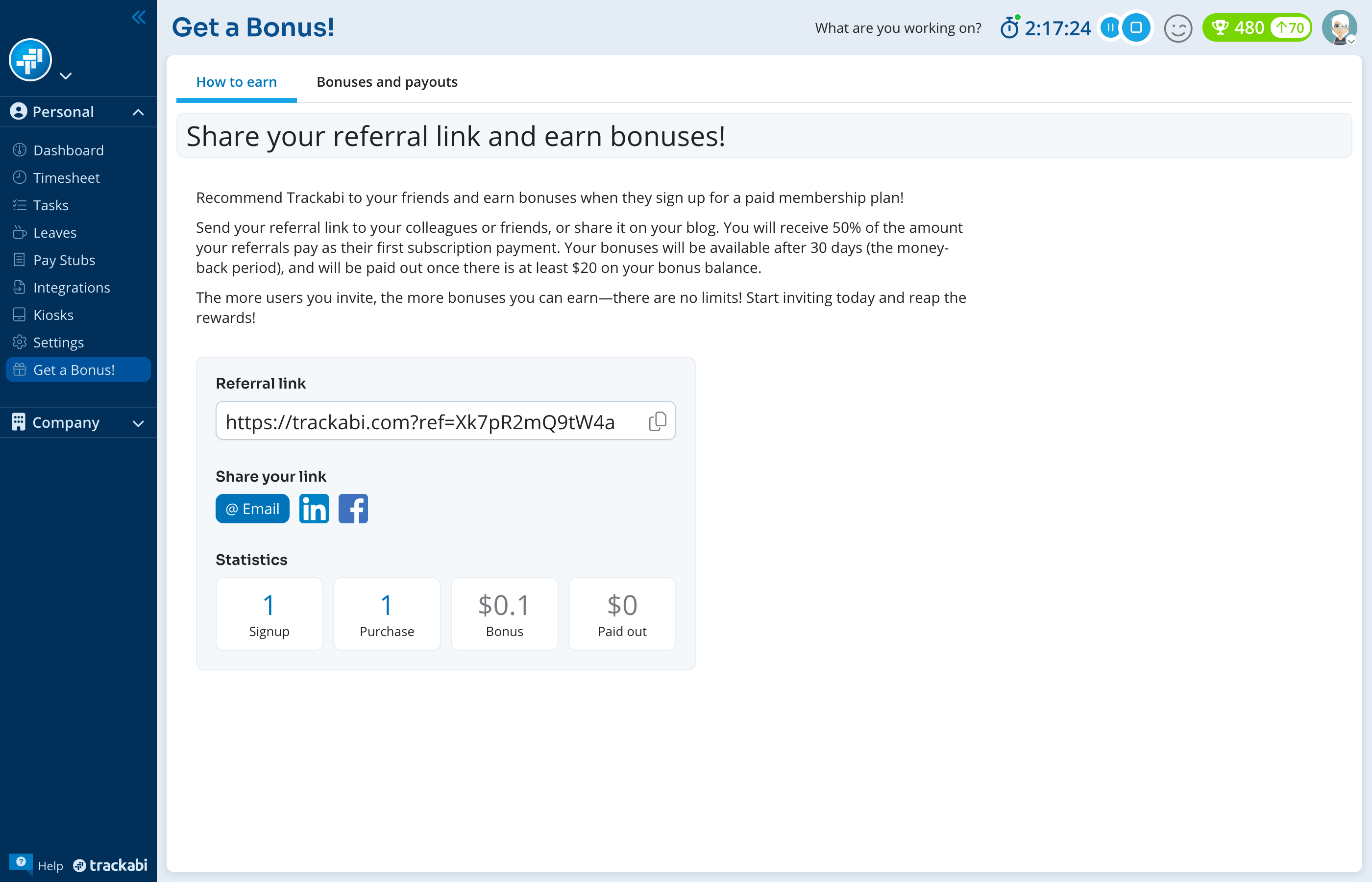
Get a Bonus! is where you find your personal referral link and follow what it has earned. Share the link; when a company signs up through it and pays for its first subscription, half of that payment is credited to you as a bonus. The page also shows how many sign-ups and paid subscriptions your link has produced and what has been paid out.
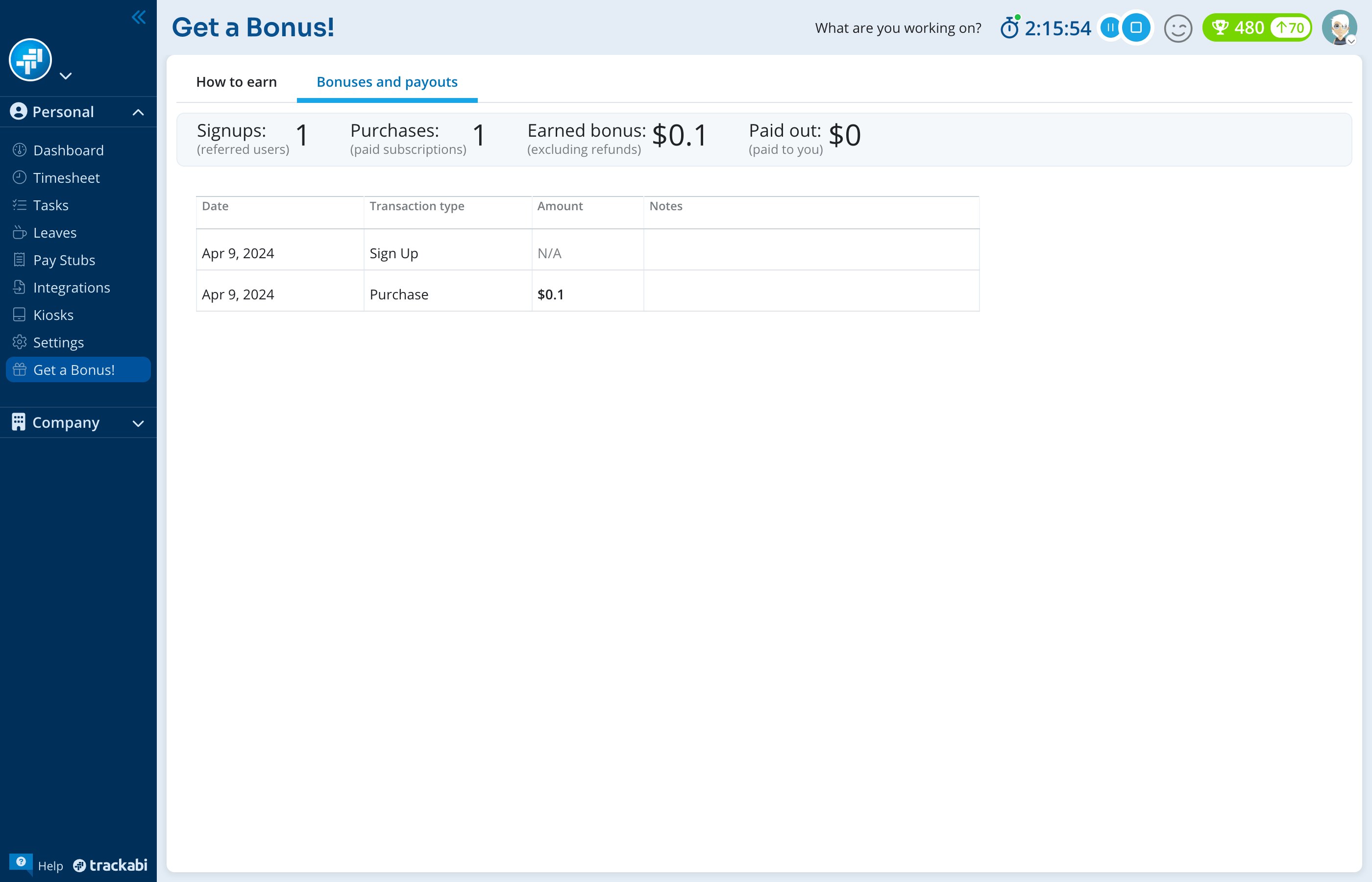
Open it from the Personal menu in the sidebar. The page has two tabs: How to earn, with your link and a summary, and Bonuses and payouts, with the full list of transactions.
Availability
- Every member with a personal space sees the page. There is no plan requirement and no role permission to grant. Client users do not have it.
- The referred company gets no discount from the link. It is an attribution for you, not a coupon for them. Promo and coupon codes are a separate mechanism.
How the referral works
Your link is the Trackabi home page with your own referral code attached, for example https://trackabi.com?ref=aB3x9kQ2mP7zL. The code belongs to you, not to your company, and it does not change.
When someone opens the link, the code is remembered in their browser. If they later create a Trackabi account from that same browser, the new account is recorded as referred by you, and a Sign Up transaction appears in your list. The sign-up is credited to the person who creates the account, so the bonus is paid on the subscription of the company they own.
When that company makes its first subscription payment, a Purchase transaction is added with your bonus: 50% of the payment, excluding VAT. One bonus is recorded per payment, so a company that pays once counts once.
When the bonus is paid
A purchase bonus is held for 30 days, the money-back period, before it counts towards your balance. Until then the row is shown greyed in the transactions list and is not included in Bonus.
Bonuses are paid out once your available balance reaches $20. Below that the Bonus tile is dimmed and shows Minimum payout amount is $20 when you hover it. A Pay out transaction is added when a payment is made to you, and a Refund transaction is deducted if a referred company's payment is refunded.
Sharing the link
Referral link shows the link with a copy button. Under Share your link you can post it to LinkedIn or Facebook, or send it by email from the Share the referral link via email dialog. Type the recipient's address in Send to and click Send; the subject and the message are fixed and shown for reference only. The email goes out from Trackabi with a Sign Up For Free! button pointing at your link.
An invitation cannot be sent to an address that already has a Trackabi account. Sending several invitations in quick succession is refused with Invitation rate limit exceeded; wait a few seconds between them.
How the statistics are calculated
The Statistics block on the How to earn tab and the header of the Bonuses and payouts tab show the same four figures, worked out from your transactions. The header spells out what each one counts:
- Signups (referred users) — the number of accounts created through your link.
- Purchases (paid subscriptions) — the number of first subscription payments those accounts have made.
- Earned bonus (excluding refunds) — the sum of purchase bonuses that are past the 30-day hold, minus any refunds. This is the amount available for payout. The first tab labels it Bonus.
- Paid out (paid to you) — the sum of the payouts already made to you.
The Bonuses and payouts tab lists every transaction with its Date, Transaction type, Amount, and Notes. A Sign Up row has no amount and shows N/A. The list is refreshed at most once an hour, so a sign-up that happened a moment ago may take up to an hour to appear.